
Grocery, Minimart, & Supermarket
Faster checkout. Fully stocked shelves.
A POS and inventory system for groceries, minimarts and supermarkets. It handles thousands of items, weighing scales and busy hours with ease.
COMMON PROBLEMS
Do these problems sound familiar?
Long lines during busy hours
Slow item search and manual price checks make customers wait.
Too many items to track
You only find out an item is out of stock when a customer asks for it.
“How much is this?”
Staff keep answering price questions instead of restocking the shelves.
TOP FEATURES
How TinkerPro helps your business
Price checker for your aisles
Use a spare phone, tablet or PC as a price checker. Customers scan an item and see the price on their own.
See how it works →- Works on a device you already have
- Shows the same price as the cashier
- Fewer price questions for your staff
Fast checkout, even when busy
Scan or search any item in seconds. Shortcut keys for quantity, discount and payment keep the line moving.
See how it works →- Reads weighing scale barcodes for meat, fish and vegetables
- Save an order, serve the next customer, then go back to it
- Keeps working even without internet
- Accepts cash, card and digital wallets, or two payment methods in one sale
Automatic promos
Set up a promo once. The POS applies it on every sale, so cashiers don’t need to remember it.
See how it works →- Buy 1 Take 1, Buy This Get That and free gifts
- Happy Hour and Limited-Time Sale promos that start and end on their own
- Promo price tags that show the regular price and the sale price
INVENTORY
Always know your stock
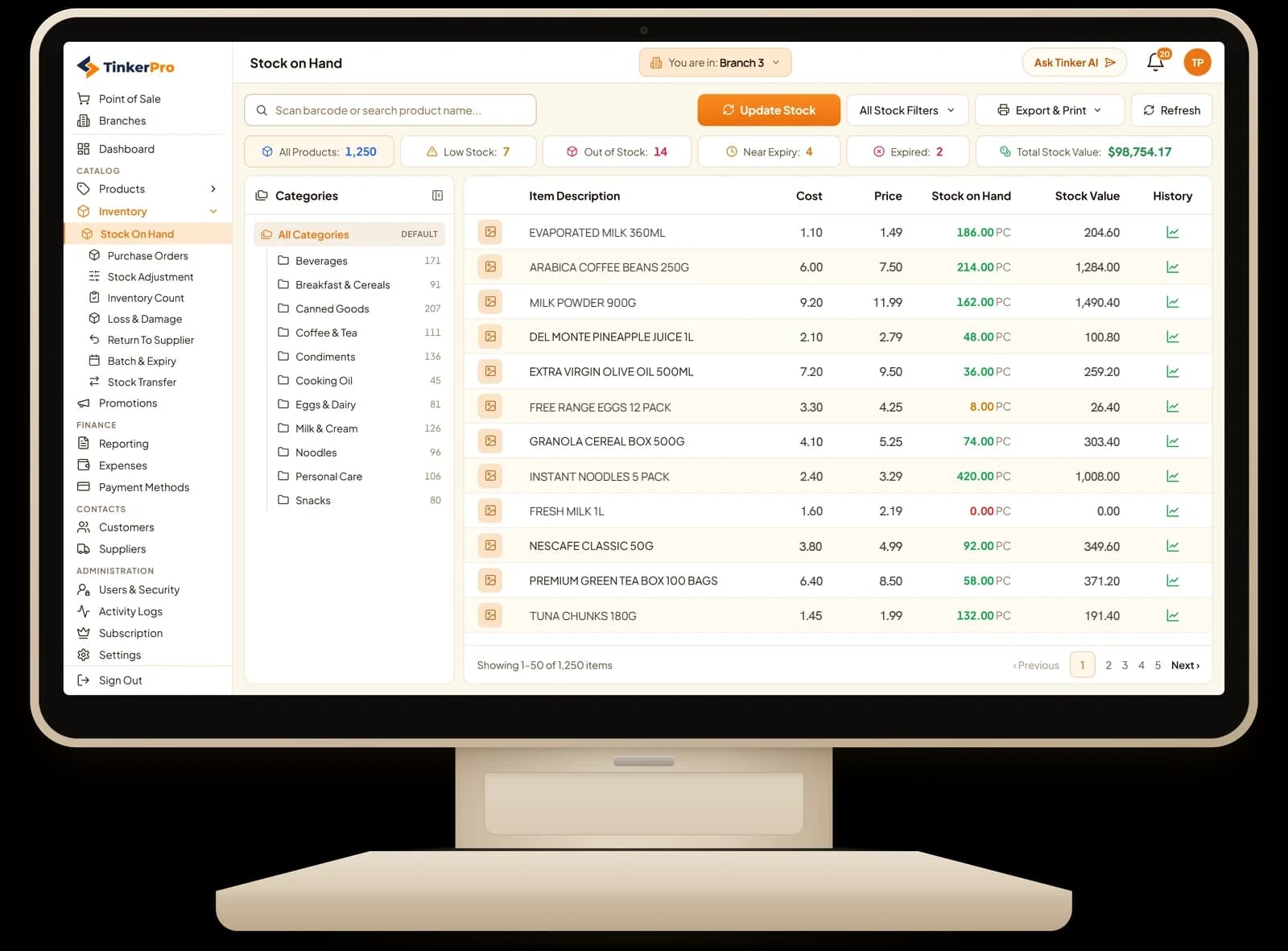
Thousands of items are sold every day. Your stock is updated after every sale, so you know what to reorder before the shelves are empty.
Real-time stock
Your stock is updated after every sale, in every branch.
Low-stock alerts
See which items are running low, and get a list of what to reorder.
Purchase orders
Order from suppliers, receive full or partial deliveries, and see how much you still owe.
Inventory count
Count one section at a time while the store stays open.
Stock transfer
Send stock from one branch or warehouse to another, or request it.
Loss and damage
Record damaged, expired or missing items and see how much each loss cost you.
MORE FEATURES
More features for your business
All part of TinkerPro Retail ERP. Start with the free POS, then upgrade to Pro for inventory and reports.
Customer display
Customers see each item and the total while you scan. When there are no customers, it shows your promo pictures.
See how it works →Expiry dates
Track milk, bread and packed food by batch and expiry date. Sell the oldest stock first.
See how it works →Loyalty points
Regular customers earn points on every purchase and can use them to pay.
See how it works →Price tags and barcode labels
Print shelf tags, and barcode labels for items without one, using your own design and label size.
See how it works →Best sellers and slow sellers
See which items sell the most and which ones don’t sell, so you know what to order more of.
See how it works →More cashier counters
Each counter has its own readings and receipts. Add more counters anytime.
See how it works →COMMON QUESTIONS
Frequently asked questions
Still not sure? Try TinkerPro in our free demo store. Instant access.
Yes. TinkerPro reads the barcodes printed by your weighing scale, so meat, fish and vegetables are sold with the right weight and price.
No. Import all your items and prices from Excel in minutes. After that, you can edit many items at once in a spreadsheet-style sheet.
The Android and Windows apps keep selling, printing receipts and scanning barcodes without internet. Your sales are saved and sent to the cloud once you are back online.
Yes. TinkerPro works with the receipt printer, barcode scanner, cash drawer and weighing scale you already have, so you don’t need to buy new equipment to get started.
Yes. Your data is saved in the cloud with regular backups, so a broken computer will not erase your sales records.
GET TINKERPRO
Works on your device
Use TinkerPro on the phone, tablet, or computer you already have.
Android
Windows
iPhone & iPad
Web App
Download the Android or Windows app to keep selling offline and print receipts.